Meshy AI Turns Creative Ideas Into 3D Models in Minutes 🎨
What if you could turn a simple description or a reference image into a 3D model without building everything from scratch? That is the idea behind Meshy, an AI-powered 3D creation platform designed to help game developers, digital artists, designers, educators, and 3D printing enthusiasts bring their ideas to life.
Turn Text and Images Into 3D Creations
One of Meshy's main advantages is that you do not always need to start with advanced modeling skills. You can begin with a written prompt, a sketch, or an existing image, depending on the result you want.
- Text to 3D: Describe an object, character, or prop in plain language and let AI generate a textured 3D model. This is useful when you have a creative idea but no finished reference image.
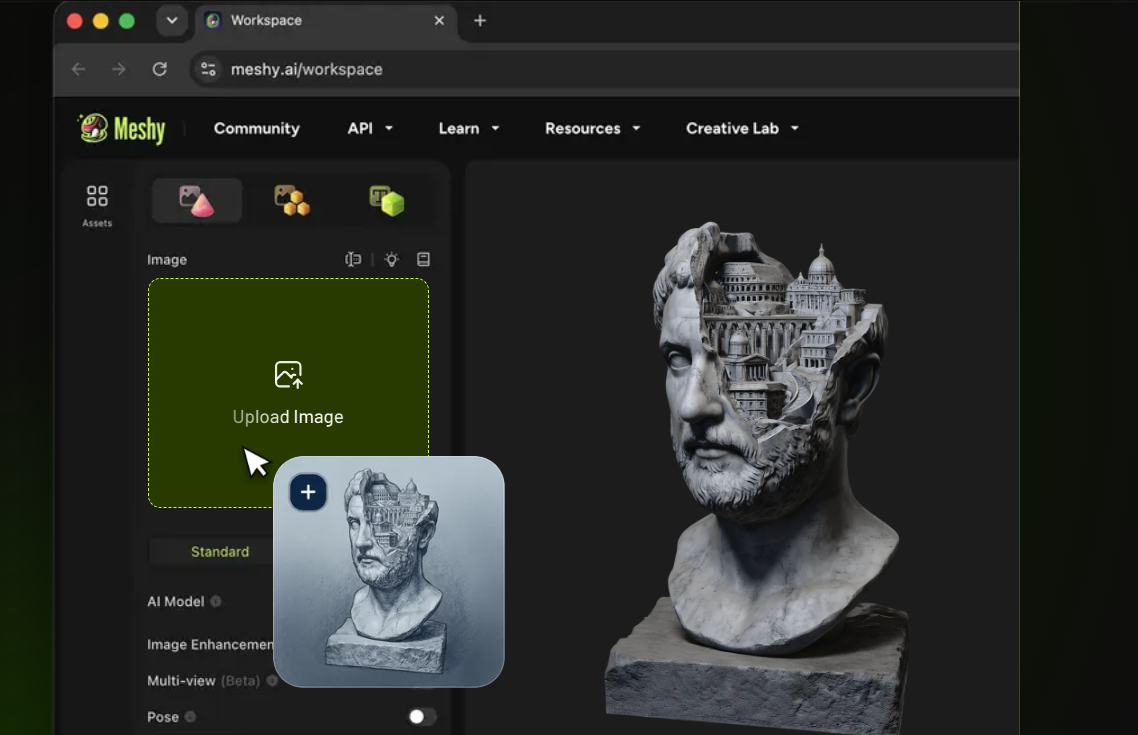
- Image to 3D: Upload a photo, sketch, or concept illustration to create a corresponding 3D model. Meshy also supports multiple views of the same object for this workflow.
- 3D Agent: Explore ideas conversationally, generate batches of concepts, and maintain a more consistent visual style across related assets.
- AI Image Generator: Create concept images that can serve as starting points for 3D generation.
For example, an indie game developer could describe a fantasy potion bottle, generate a model, and use it as a starting point for a game asset. A designer with a hand-drawn toy concept could upload the sketch and explore how it might look in three dimensions.
The results may still need adjustments, especially when precise dimensions, intricate geometry, or production-specific requirements matter. However, generating an initial model can help creators move from an idea to a workable starting point more quickly.
More Than a 3D Model Generator
Meshy also offers tools to refine and prepare assets after the initial generation. This is particularly useful for creators who need more than a single attractive preview.
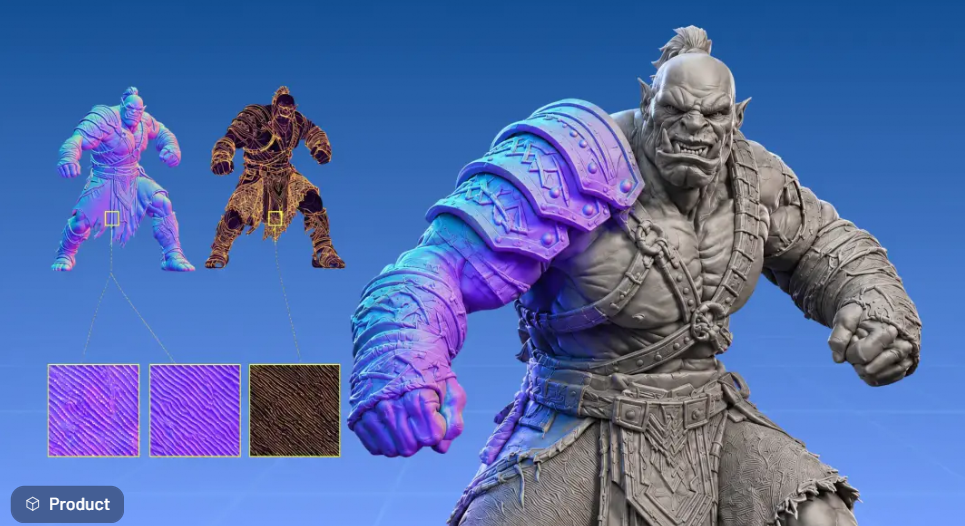
AI Texturing helps add materials and surface details to 3D models. Meshy's PBR texturing workflow can generate maps such as albedo, normal, metallic, and roughness maps, with high-resolution texture options available on supported plans.
Rigging and Animation help bring characters to life. Meshy supports automatic rigging for humanoid and quadruped characters, along with motion presets for actions such as walking, jumping, idling, and attacking. This can help game developers and animation creators experiment with movement without starting the rigging process entirely from scratch.
Low-poly generation and retopology are useful when assets need to be optimized for particular workflows. Lower polygon counts can help with real-time applications, although creators should still inspect the resulting topology and performance in their target project.
Meshy also supports popular export formats, including FBX, GLB, OBJ, USDZ, STL, and 3MF. These formats serve different purposes, from game development and web-based 3D viewing to augmented reality and 3D printing. The best format depends on where and how you plan to use the finished asset.
Useful for Game Development, Design, and 3D Printing
Meshy's tools support several creative workflows rather than just one type of project.
- Game development: Generate characters, props, environmental objects, and other assets for prototyping or further production work.
- Product design: Turn sketches and concept images into three-dimensional starting points for exploring product ideas.
- 3D printing: Create models, inspect printability, and use supported tools to prepare assets for a slicer.
- Education: Give students a practical way to explore 3D design and transform visual concepts into digital models.
- Film and animation: Develop concept assets, experiment with character appearances, and prepare models for further animation work.
For 3D printing in particular, Meshy highlights features such as automatic repair, watertight geometry checks, multicolor preparation, and splitting larger models into printable parts. These features can reduce some preparation work, but users should still review the model in their chosen slicer before printing.
For games and animation, generated models may likewise need further editing to meet a project's standards for topology, scale, rigging, and visual consistency.
Meshy Pricing and Free Access
Not sure whether an AI 3D tool fits your workflow? Meshy offers a free tier, allowing new users to explore its tools before committing to a paid subscription. The platform's pricing structure and available features can change, so check the official pricing page for the latest credit allowances, export access, and subscription benefits.
Here are a few things to consider when choosing a plan:
- Start with free access: Test the generation process with a small project before deciding whether you need more credits.
- Estimate your usage: Repeated generations, alternative designs, and texture refinements can increase credit consumption.
- Check output requirements: Make sure your chosen plan supports the export formats, resolution, and other features required for your project.
- Review commercial-use terms: If you plan to sell generated assets, use them in client projects, or include them in a commercial game, verify the license terms for your specific subscription and outputs.
Tips for Getting Better Results With Meshy
A few simple habits can make your first experiments more productive.
Write specific prompts. Instead of asking for a generic fantasy sword, describe its shape, materials, color palette, and art style. For example, “a stylized fantasy sword with a curved silver blade, dark leather grip, and emerald-green gemstone, designed for a colorful adventure game” gives the generator more direction.
Choose the right starting point. Use text-to-3D when you are exploring an idea from scratch. If you already have a clear sketch or product reference, image-to-3D may be a better fit.
Generate variations before polishing. Compare several concepts to find a silhouette or style that works before spending time refining details.
Check the model in its destination workflow. A model that looks good in a preview may still need adjustments before it works properly in a game engine, animation pipeline, or 3D printer.
Track your credits and export needs. Check which operations consume credits and which downloads are included in your plan so you can plan a project without unexpected limitations.

Start Creating With Meshy AI
Meshy brings AI-assisted modeling, texturing, rigging, animation, and 3D-printing preparation together in a single creative platform. Its text and image generation tools make it easier to explore new concepts, while its additional features help users take those concepts further.
For beginners, it offers an accessible way to experiment with 3D creation. For experienced creators, it can serve as a starting point for asset generation, rapid prototyping, and repetitive production tasks.
If you are curious about what AI can do for your next creative project, visit Meshy.ai to explore the tools, try the available free features, and find the workflow that suits your ideas.